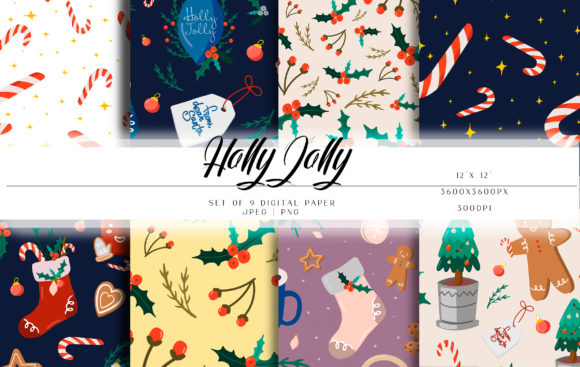
Christmas Patterns
Every year, around mid-November, the same scramble begins. You need decorations for the office party, a fresh set of social media graphics for your shop, or maybe just a way to keep the kids busy during winter break. Finding something that looks good, works across different software, and doesn't require hours of reformatting can feel impossible. That’s exactly where a solid set of versatile Christmas Patterns changes things.
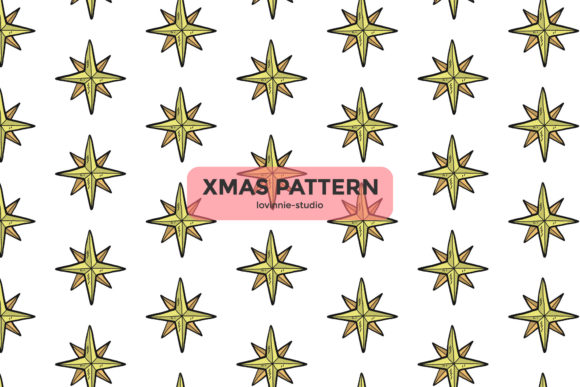
These aren’t just simple clip art files. The collection provides designs in six different formats: AI, EPS, SVG, DXF, JPG, and PNG. Each file is sized at 1920 x 1280 pixels, which means you aren’t stuck with something that looks blurry the moment you stretch it. Whether you are a seasoned designer or someone who just needs to get a project done before the holiday party, these patterns are built to be opened, edited, and used without extra frustration.
Bringing Holiday Graphics Into Everyday Work
Most people underestimate how often they actually need themed visuals. It is rarely about one big project. It’s the small things that pile up. The holiday menu for a café, the gift tags for handmade soaps, the background for a family newsletter, or the header image for a winter blog post. Having a library of Christmas Patterns ready in multiple formats means you stop hunting for free resources that rarely match your needs.
Think about a baker who runs a small Instagram account. During December, every post needs to feel festive. Using the PNG version, they can layer a subtle pattern behind a photo of gingerbread cookies without needing to open complex design software. The transparency is already there. For a more elaborate flyer, the EPS file opens cleanly in Illustrator, allowing the baker to tweak colors to match their brand. The result is consistent, professional-looking content made in minutes, not hours.
Real Use Cases Across Different Settings
The value of these patterns becomes obvious when you look at specific situations where people actually need them. The format variety is not a technical spec. It is a solution to different workflows.
For Small Business Owners and Entrepreneurs
If you run an Etsy shop selling handmade ornaments or custom mugs, the holiday season is your peak time. You need mockups, product tags, and promotional banners. The SVG format gives you clean vectors for cutting machines if you also make physical labels with a Cricut or Silhouette. The DXF file serves the same purpose for users of other CAD-like cutting software. Instead of building your patterns from scratch, you can pull a ready-made design, resize it, and place it on your product photos. This consistency helps your shop look cohesive during the busiest shopping weeks.
For Freelancers and Marketers
Clients often need holiday-themed materials at the last minute. A local restaurant wants a “Christmas Eve Special” menu card by tomorrow morning. A school needs a flyer for the winter concert by the end of the day. Having the AI file means you can open the pattern, remove elements you do not need, change the background color, and drop in the client’s text. You are not redesigning. You are assembling. That speed is what separates a stressed freelancer from a reliable one.
For Educators and Homeschooling Parents
Keeping children focused during December is a challenge. Printable worksheets and activity sheets with holiday themes make a real difference. The JPG and PNG formats are ready to print at a good resolution. You can use the patterns as borders for writing prompts, as coloring pages, or as backgrounds for holiday-themed math problems. The 1920 x 1280 pixel canvas size works well for standard letter-sized prints without pixelation. No one wants a pixelated Santa on a worksheet.
For Personal and Family Projects
Not every use is commercial. Many people simply want to make their home or digital space feel festive. Using the PNG images, you can create custom wrapping paper by tiling the pattern in a simple word processor. You can design a holiday-themed Zoom background for the family call. You can even print labels for your holiday gift baskets. The fact that the design is editable means you can strip out elements you do not like or combine patterns for a more personalized look.
What to Consider Before Downloading
Jumping into any design resource without a plan leads to wasted time. Before you download Christmas Patterns, you should think about your actual workflow. Ask yourself a few basic questions.
- Which format matches your software? If you only use Canva and have no vector software, you will likely rely on the PNG and JPG files. If you run a laser cutter or a Cricut, you need the SVG or DXF. Knowing this saves you from frustration later.
- What is your canvas size? The files are 1920 x 1280 pixels. That is a good size for social media posts, flyers, and small prints. If you plan to make a large banner, you will need to scale up, which is easier with the vector files (AI, EPS, SVG) since they do not lose quality.
- Do you need to edit colors? If you want a red poinsettia to become gold, the AI or EPS file is your friend. The JPG version is a flat image and cannot be recolored easily. Understanding this difference prevents you from hitting a wall mid-project.
Matching the Design to the Season
Christmas patterns are everywhere during December. What makes a set useful is its adaptability. A pattern that only works on a greeting card is limiting. A pattern that can be cropped, layered, recolored, and scaled applies to dozens of scenarios.
Consider the freelance graphic designer who gets a rush order for a holiday email campaign. The client wants a background that suggests warmth and celebration without being too busy. The designer opens the AI file, isolates a single element from the pattern, enlarges it, and uses it as a subtle watermark behind the text. The rest of the pattern is saved for the social media variants. One download covers the entire campaign.
Or think about the community center coordinator who needs to decorate the bulletin board for the children’s holiday party. They print out the JPG pattern on cardstock, cut out individual shapes, and let the kids glue them onto construction paper. The 1920 x 1280 resolution ensures the printed shapes have crisp edges. What started as a digital resource becomes a hands-on activity.
How Different Users Benefit in Practice
The benefit of a flexible pattern set is not abstract. It shows up in concrete ways depending on who you are.
Busy parents often need quick solutions. You are planning a school bake sale and need a sign that looks decent. You open the PNG file, insert it into a document, add text over the top, and print. You are done in under five minutes. No design skills required. No need to learn new software.
Hobbyist crafters who work with vinyl or heat transfer will appreciate the DXF and SVG files. You can import the pattern directly into your cutting machine software, resize it to fit a mug or a tote bag, and cut. The pattern is already clean, ready to weeding and pressing. You skip the step of tracing or redrawing a design yourself.
Content creators and bloggers need visual consistency across platforms. Instagram, Pinterest, blog headers, and email newsletters all require different sizes. The vector formats allow you to extract elements and reposition them without restarting. The JPG version serves as a quick background for a quote graphic. The PNG version works for layered compositions. One set of patterns keeps your feed looking tied together throughout the holiday season.
Event planners can use the patterns for table signs, place cards, and menus. Printing on standard paper at home works because the pixel dimensions are generous enough for letter-sized prints. If you need something larger, the vector files handle enlargement effortlessly. You avoid the awkward moment of a design that looks fuzzy when printed.
Making the Most of the Six Formats
Each format exists for a reason. Understanding the distinction helps you pick the right tool for your specific project.
- AI and EPS: These are industry standards for professional vector editing software like Adobe Illustrator. If you work in design, these give you complete control over every anchor point and color.
- SVG: Perfect for web use and cutting machines. It keeps the file size small and the quality high. Many free browser-based design tools also support SVG uploads.
- DXF: A common format for CAD and certain cutting machine software. If you use a machine that requires DXF, you won’t have to convert anything.
- JPG: The universal flat image. Great for quick prints, social media uploads, and any software that accepts standard images.
- PNG: The transparent background option. Essential when you want to place the pattern over another image or colored background without a white box around it.
Having all six means you never have to search for a file converter or beg a friend to save a design in a different format. It is all there in the download.
Connecting Features to Real Outcomes
The guarantee that the design is easy to use and editable is not a throwaway line. It means the layers are organized. It means colors are separated. It means common software can open the files without errors. For someone who does not use design tools daily, that reliability is what prevents a project from being abandoned halfway through.
For instance, a small business owner who only uses PowerPoint can still use the PNG files. They can insert the pattern, crop it, add a text box with their holiday sale information, and export it as a PDF to print. It is not elegant design workflow, but it works. The pattern does the heavy lifting of looking professional. The owner does not need to learn new skills to get a decent result.
On the other end, a professional designer can take the EPS file, open it in their preferred software, break apart the grouped elements, and rebuild them into a completely new composition. The pattern becomes a starting point rather than a finished piece. That flexibility is rare in cheaper, pre-made resources.
The truth about holiday design is that most people run out of time before they run out of ideas. Having a versatile set of Christmas Patterns in your toolkit removes the bottleneck of creating the base elements. You focus on the message, the layout, and the final output. The pattern is already there, waiting to be dropped into place. That is the difference between stressing over a project and finishing it with something you are happy to share.